Insights ·
One Row in a Spreadsheet. Three Social Platforms. Zero Human Touches.
Social media for a startup is death by a thousand small tasks — write copy, find images, adjust tone for each platform, queue it in Buffer. I automated all of it with n8n, Claude, and Buffer's MCP. Here's how it works.
Social media for a small startup is death by a thousand small tasks. Write the copy. Find an image. Make sure the tone is right for LinkedIn vs. Instagram vs. Facebook — they’re different audiences, different contexts, different registers. Queue everything in Buffer. Repeat tomorrow. It’s not hard. It’s just constant, and it’s time that isn’t going toward the product.
I let it go for too long. Winote has an interesting story to tell — a wine knowledge platform built for working sommeliers, not enthusiasts — but telling it consistently was getting lost in the build cycle. Something had to change.
The goal I set for myself: put a row in a spreadsheet, and have everything else happen automatically. Copy written, image generated, posts queued to three platforms, sheet updated. Zero additional touches.
This is how I built it.
- The Content Calendar
- Template Routing
- AI Copy That Actually Knows Wine
- Image Generation
- Posting via Buffer’s MCP
- Closing the Loop
- The Insight That Made It Work
The Content Calendar
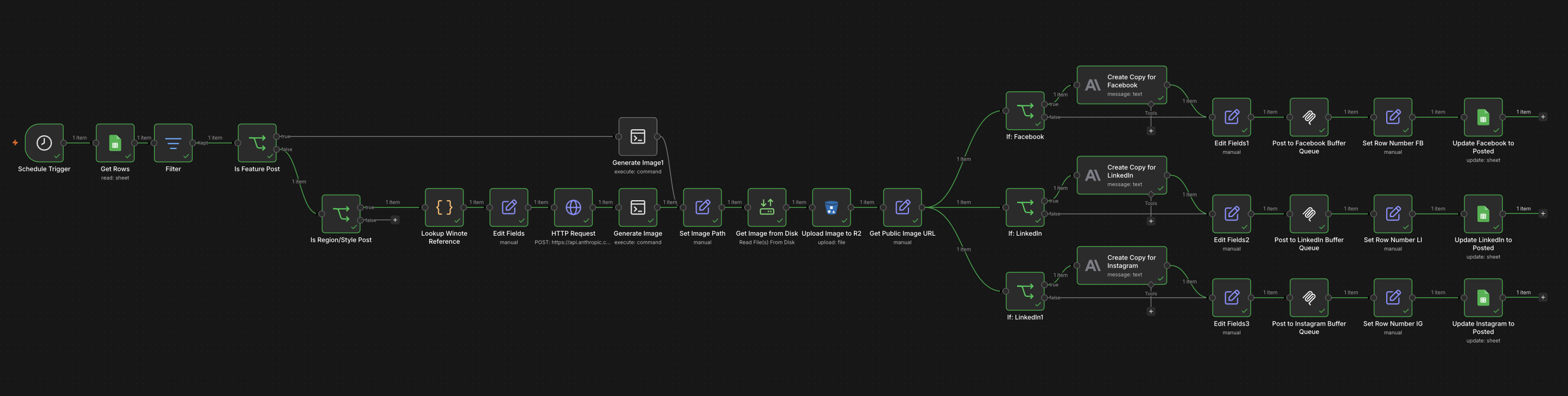
Everything starts in a Google Sheet. Each row is a scheduled post. The columns are simple: Date, Topic, Template, and then one column per platform (Facebook, LinkedIn, Instagram). Setting the platform columns to queued is all I need to do.

The n8n workflow fires every day. It reads all rows from the sheet with today’s date. If at least one platform is queued, the workflow continues. If the row doesn’t exist or everything is already posted, it exits.
That’s it for the trigger layer. A human fills in the sheet — that’s the creative and editorial decision. Everything downstream is automated.
Template Routing
Not all posts are the same, and that matters.
Winote posts roughly in two categories. Feature posts announce something about the product — a new capability, a design decision, something worth calling out directly. These get written by a human. The copy goes directly in the sheet, and the workflow uses it verbatim.
Educational posts are different. These cover wine grapes, regions, and styles — the kind of content that positions Winote as a knowledge platform, not just an app. There are hundreds of topics to cover, and writing each one by hand would take forever. This is where AI copy generation makes sense.
The workflow checks the Template field and branches accordingly. Feature posts skip AI generation entirely. Educational posts go through it.
AI Copy That Actually Knows Wine
Here’s the thing about asking an AI to write about Cabernet Sauvignon: it knows a lot about Cabernet Sauvignon, but you can’t fully trust what it’ll invent. Wine is a domain where specificity matters. Getting the origin region wrong, or overstating a characteristic, produces content that erodes credibility with exactly the professionals Winote is trying to reach.
The solution was to ground the AI in structured reference data.
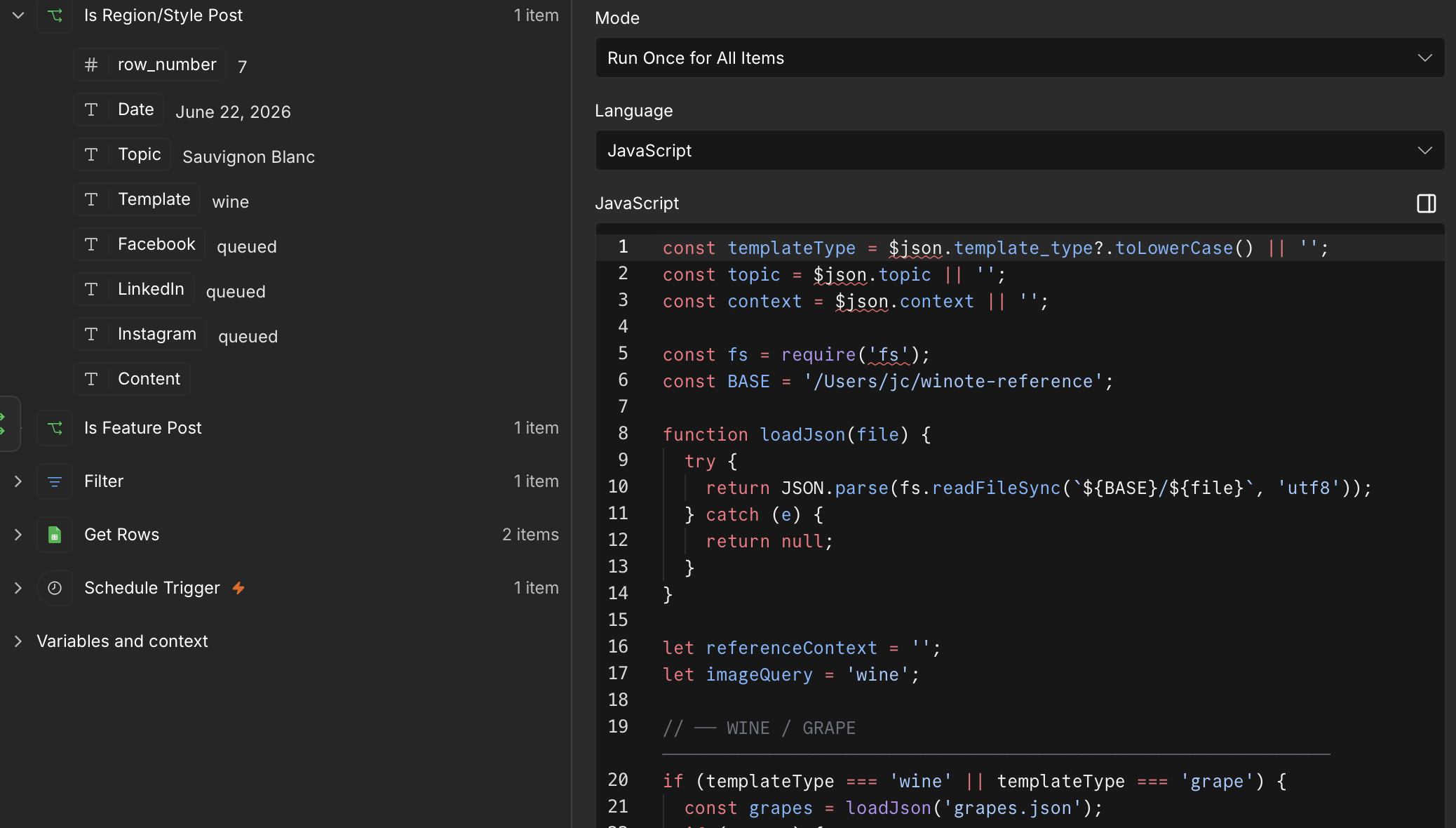
All of the reference data is in local JSON files for grapes, regions, and wine styles — each with structured records covering origin, flavor profiles, production characteristics, and more. Before the AI writes anything, the workflow looks up the topic in the relevant file and passes the matching record as context. Claude Sonnet then generates copy with that reference in hand, not from general knowledge.
The prompt is also platform-specific. LinkedIn gets a business angle — framing wine knowledge as something relevant to distributors and trade professionals. Instagram gets casual and conversational. Facebook sits in between. Same topic, same reference data, three different posts.
The copy is 100-150 words per platform, ends with a question, and has 2-3 relevant hashtags. Enough to be substantive without being overwhelming.
Image Generation
Every post includes a branded image. The visual consistency is important — Winote should look like Winote, not like a random stock photo.
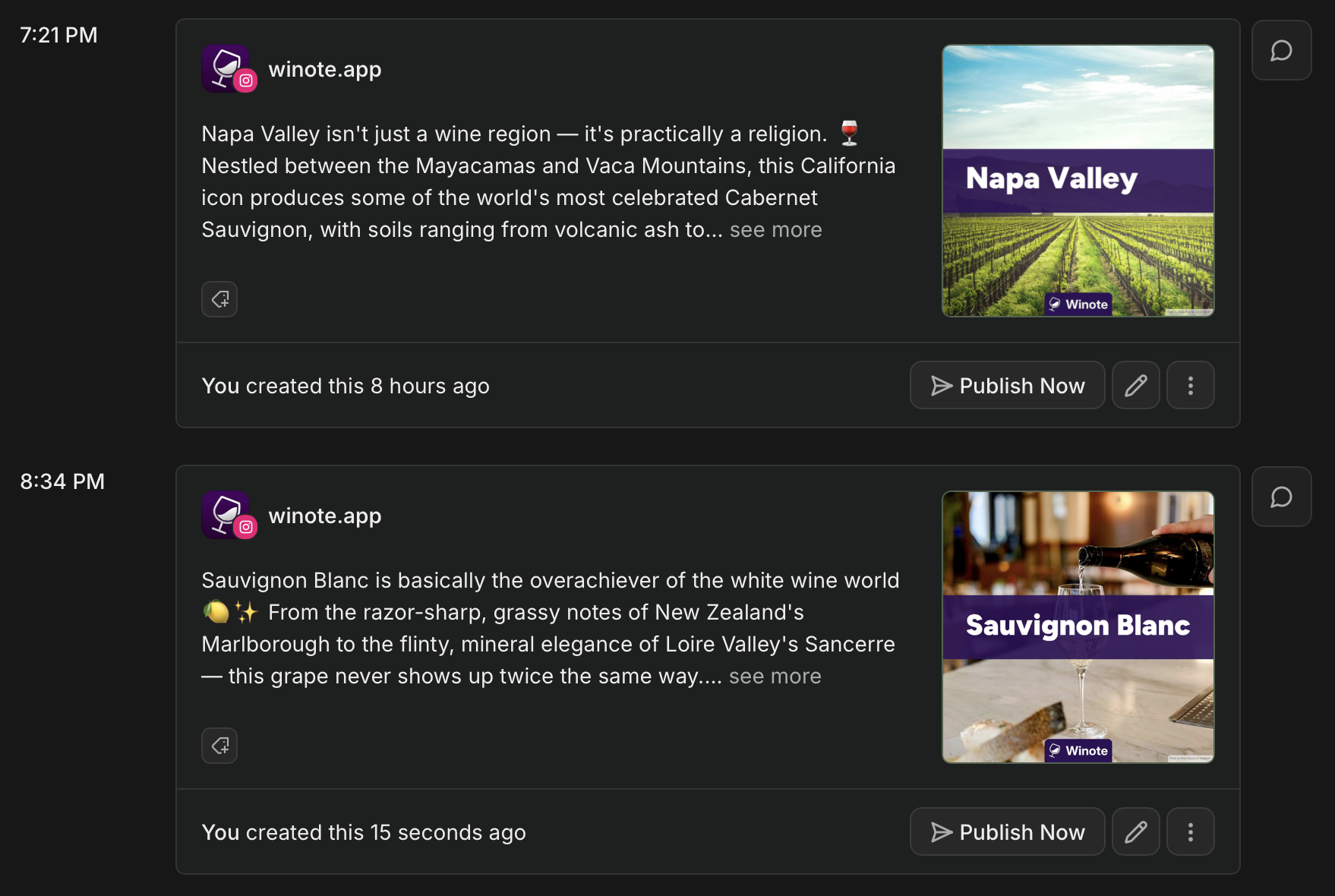
A Python script handles image generation. It takes the topic and the AI-generated copy, picks from a set of pre-selected, properly accredited stock photos, and overlays dynamic text. The output is always on-brand: consistent typography, layout, and visual identity. No design work required after setup.
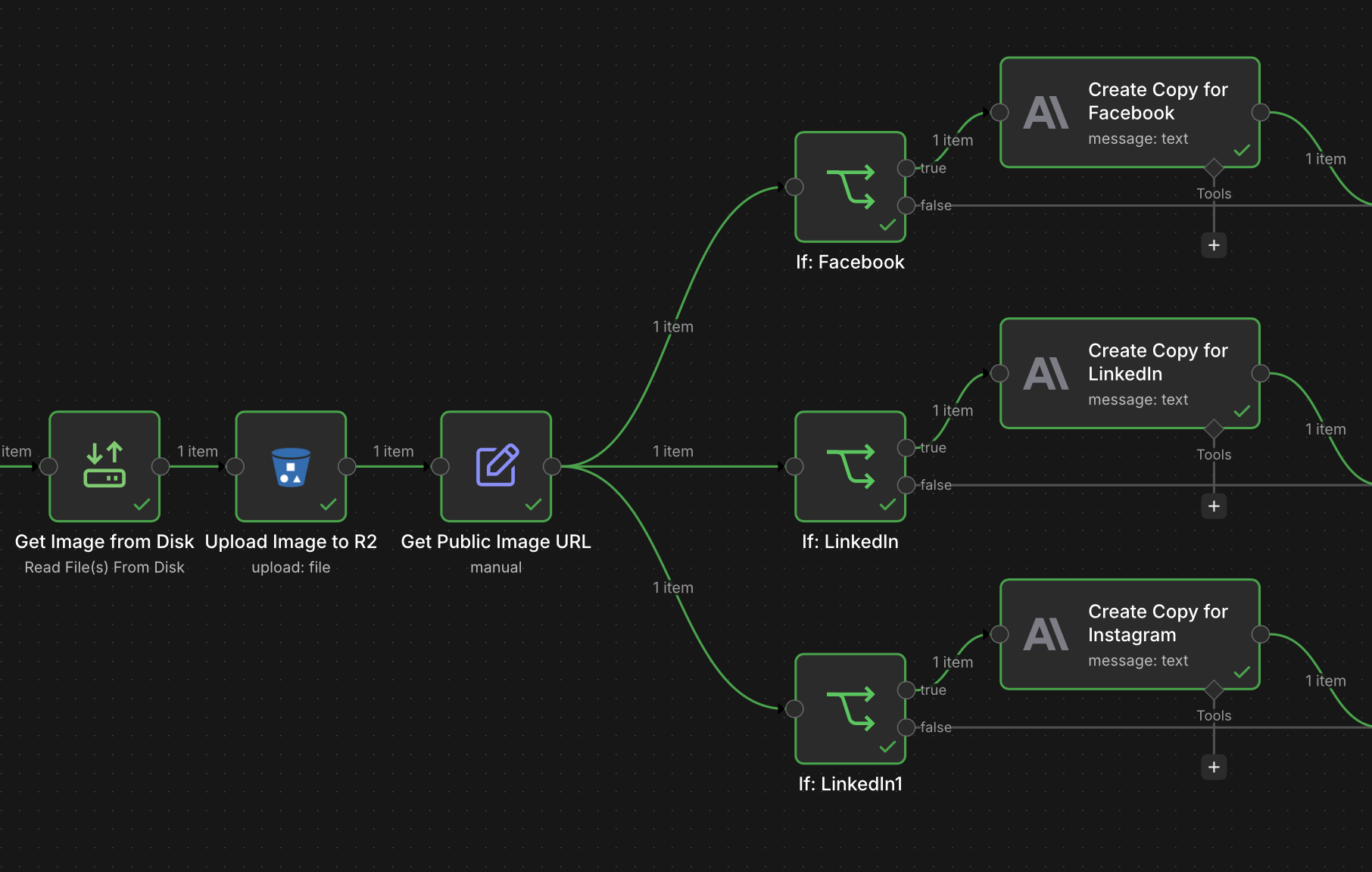
n8n runs the script via SSH — connecting to my local machine and executing it directly. The script writes the finished image to disk, and n8n reads it back from that path. From there, the image gets uploaded to Cloudflare R2, and n8n constructs the public URL that Buffer will pull from.
It’s a slightly unconventional architecture — running a local script from a cloud workflow — but it works cleanly and keeps image generation logic in Python where it belongs, rather than attempting it inside the workflow itself.
Posting via Buffer’s MCP
Buffer recently released an MCP (Model Context Protocol) server. This is what I used to queue posts from n8n.
Instead of hitting Buffer’s REST API directly, n8n connects to Buffer’s MCP endpoint and calls the create_post tool with the channel ID, copy, image asset, and scheduling type. It feels cleaner than a raw API integration — the tool definition handles parameter validation, and the interface is consistent across tools if I want to add more later.
Each platform has a separate channel ID and slightly different metadata. Instagram posts need shouldShareToFeed: true. Facebook gets explicit post type metadata. LinkedIn is straightforward. The workflow posts to all three, in parallel, after the image is ready.
Closing the Loop
After each platform queues successfully, the workflow writes back to the Google Sheet: the platform column for that row updates from queued to posted.
This matters more than it sounds. The sheet is the source of truth. If you open it, you can see exactly what ran, what’s still scheduled, and whether anything fell through. If the workflow fails mid-run for any reason, only the platforms that actually posted get marked. The others stay queued and will get picked up the next morning.
The spreadsheet isn’t just a content calendar. It’s also a lightweight state machine.
The Insight That Made It Work
The technical pieces here aren’t particularly complicated. n8n, Claude, Buffer, R2 — these are all well-documented tools with good APIs. Getting them to connect wasn’t the hard part.
The hard part was deciding the order of operations.
The beautiful thing is computers do exactly what you tell them to. The downside is computers do exactly what you tell them to. That’s why you have to use good judgement and be smart about what you tell them to do.
Every decision in this workflow is a judgment call about where human control should end and machine execution should begin. Feature posts get written by a human because the stakes are higher — those are the words I want to stand behind exactly. Educational posts get generated by AI because there are hundreds of them and the creative latitude is wider.
AI copy gets grounded in reference data because the audience is professional and accuracy matters more than fluency. The image generation is templated because visual consistency is non-negotiable for a brand, but the content can vary. Buffer handles scheduling because optimal timing is an optimization problem, not a creative one.
None of these are hard decisions in isolation. But you have to make them deliberately, in the right order, before you build anything. A workflow is just a formalization of those decisions. If the decisions are wrong, the automation faithfully executes something broken.
The result: Winote posts consistently to three platforms every day. The copy is tailored to each audience. The images are on-brand. The sheet tracks what ran. I spend about five minutes per week filling in the calendar — topic, template type, which platforms to post to. Everything else runs itself.
That’s the trade worth making.
Winote is available at winote.app. This workflow was built in n8n using Claude Sonnet for copy generation and Buffer’s MCP for scheduling.